How to edit your photos with AI
ai-photo-editor
Written By @levelsio
Last updated 10 months ago
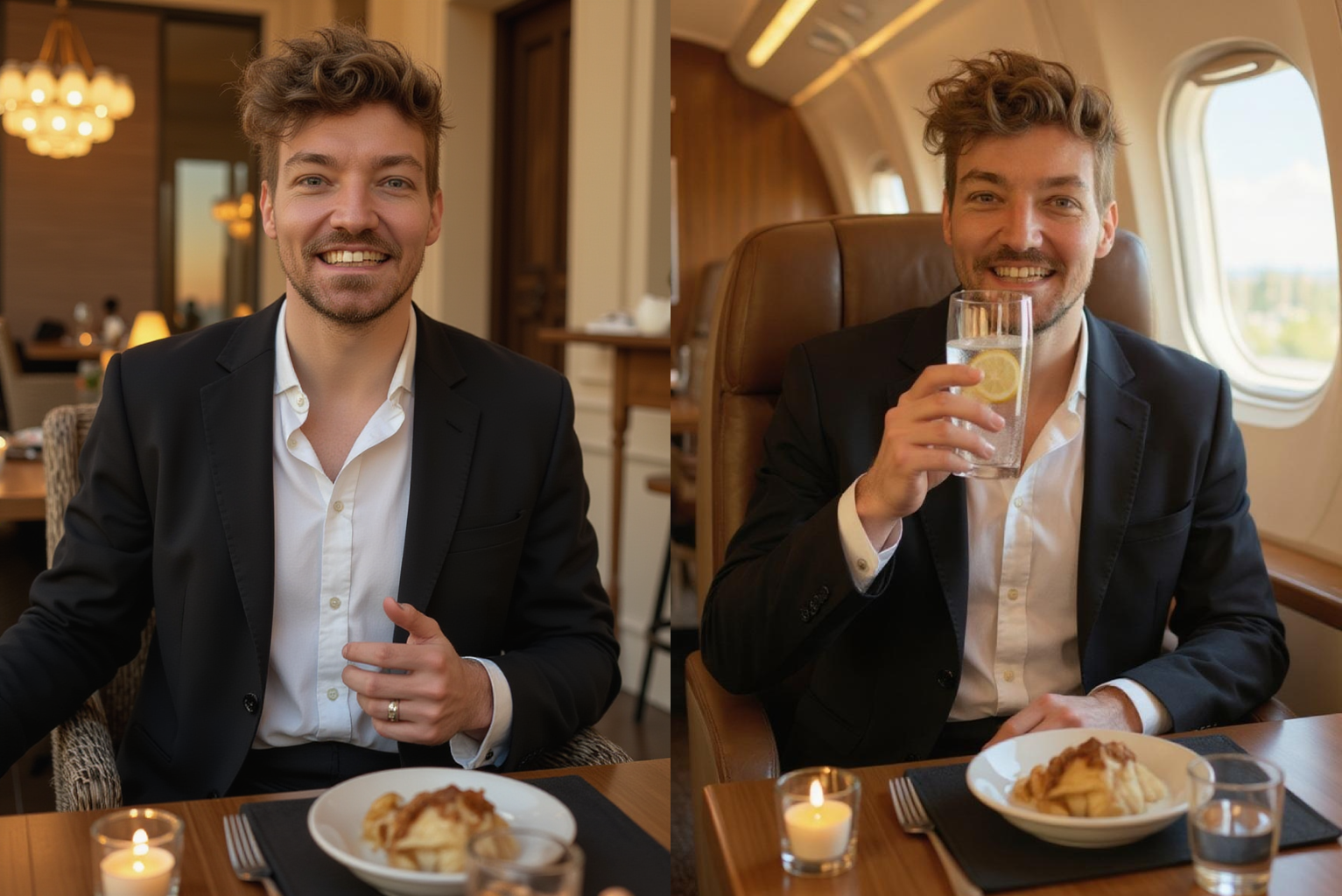
Want to change something in your photo? Add objects, remove them, or even change the entire scene — all with a single sentence. With Photo AI’s Magic Edit feature, it’s insanely easy.
Whether you want to swap a drink, change your background, or fix a small detail, you just describe the change and Photo AI does the rest.
What is Magic Edit?
Magic Edit is a simple tool that lets you modify any photo using text. Instead of Photoshop or masking tools, you just type what you want, like:
“Change the wine to sparkling water with lemon”
“Make it sunset on the beach”
“Remove the person in the background”
Photo AI analyzes your photo and applies the changes instantly with AI-powered image editing.
How to use Magic Edit
Step 1: Hover over your photo
Inside your Photo AI gallery, hover over the image you want to change.
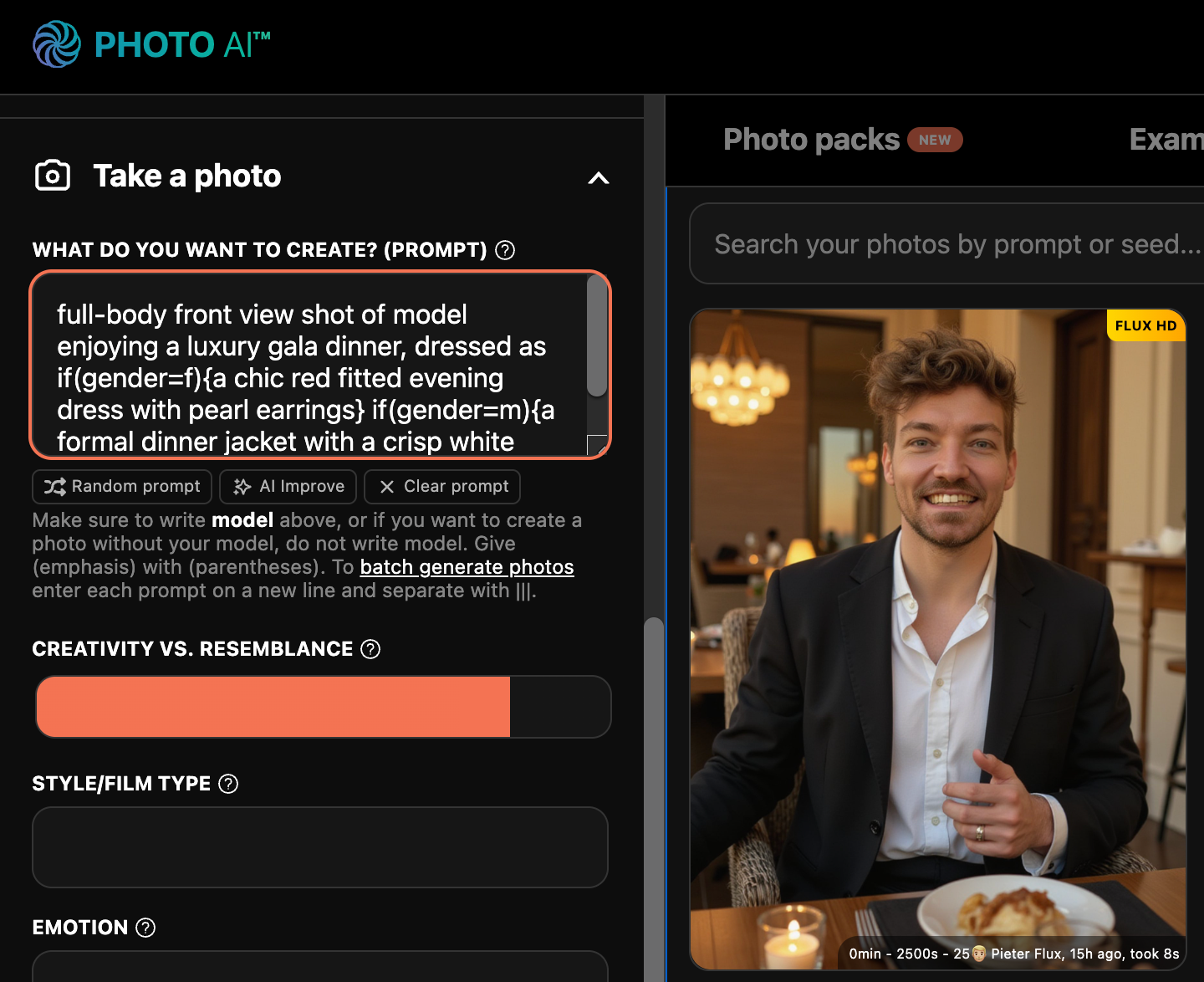
Step 2: Click [ Magic Edit ]
A button will appear — click it to open the edit popup.
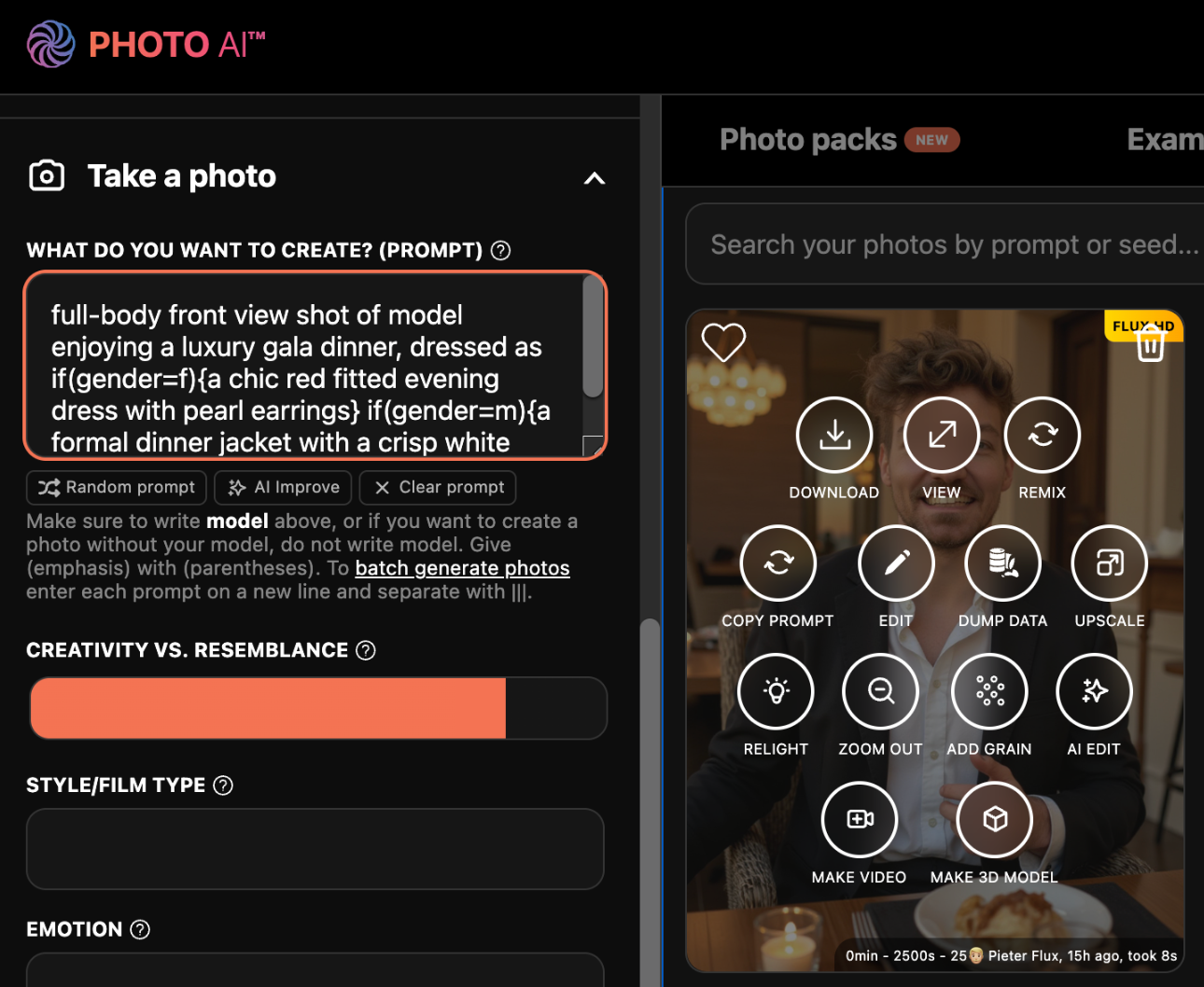
Step 3: Type your change
In the popup, describe what you want to change. Be clear and specific — the more detailed, the better.
Examples:
“Put me in a private jet drinking sparkling water with a half cut lemon”
“Change my outfit to a black suit”
“Make the sky cloudy with soft light”
“Change my photo to anime”
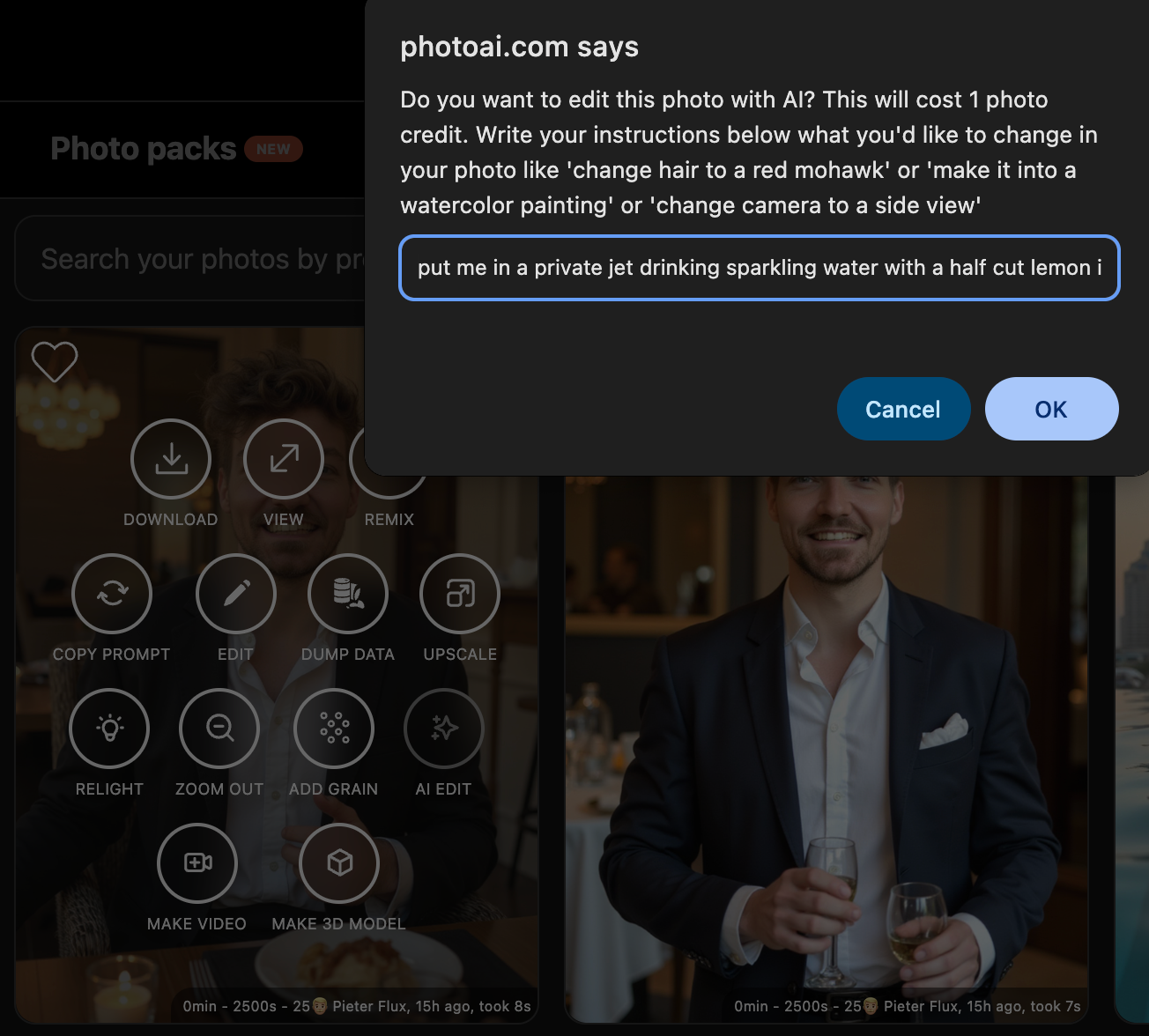
Step 4: See the result!
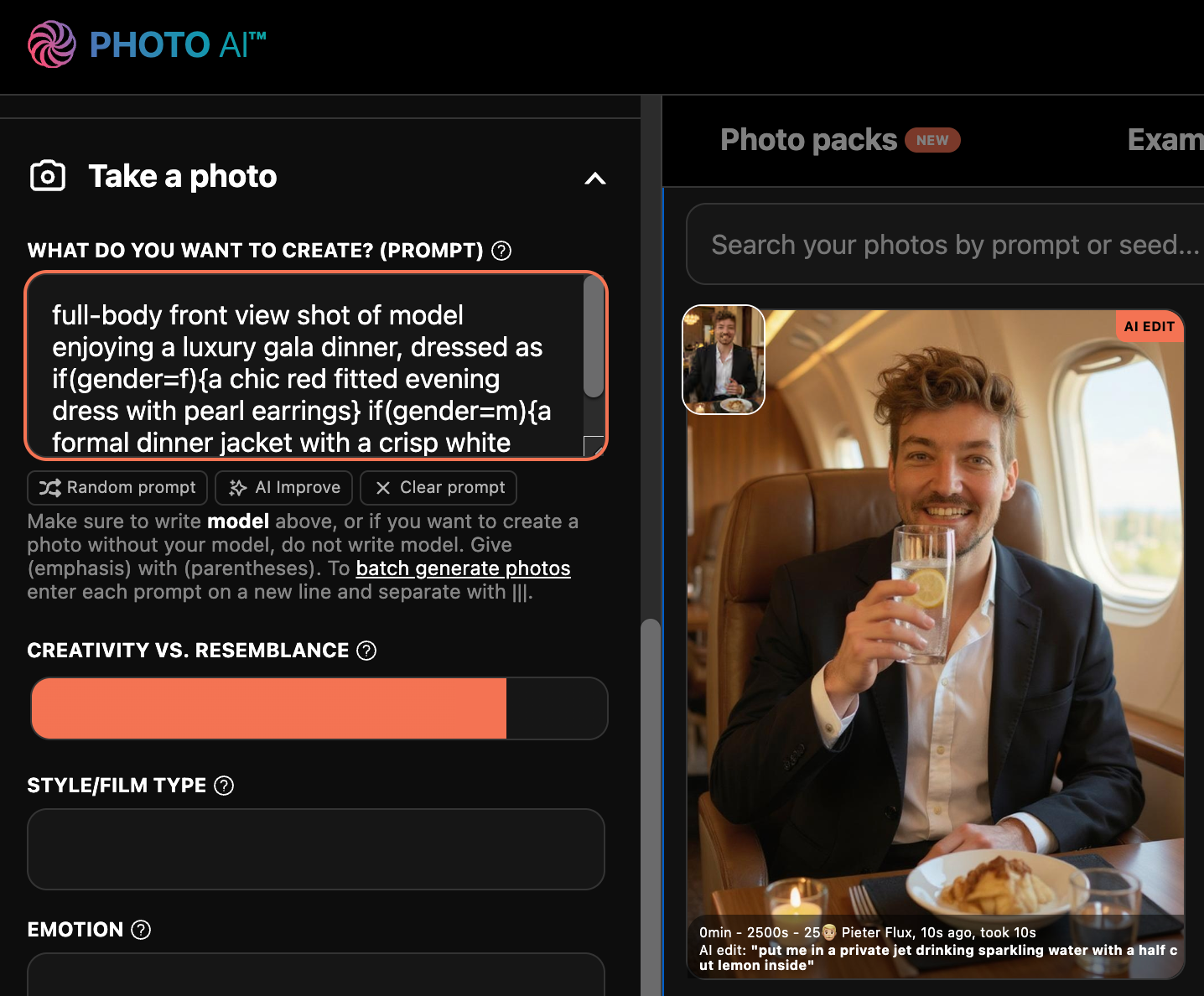
So we went from sitting in a restaurant eating:

To sitting in a private jet with sparkling water and half a cut lemon:

Possibilities are endless
You can change anything in a photo, and even change the entire style of a photo, like here “put in anime style”:

And then you can even move the camera position (although this doesn’t always change the background perfectly but you can try), like here “side view”:

And then try change it back to a photo, “change it a photo”:

Magic Edit does NOT use your AI model so you will lose any likeness/resemblance at this point, to get that back you can remix it though (which does use your AI model), by tapping [ Remix ] on the photo and then it’ll look like you again:
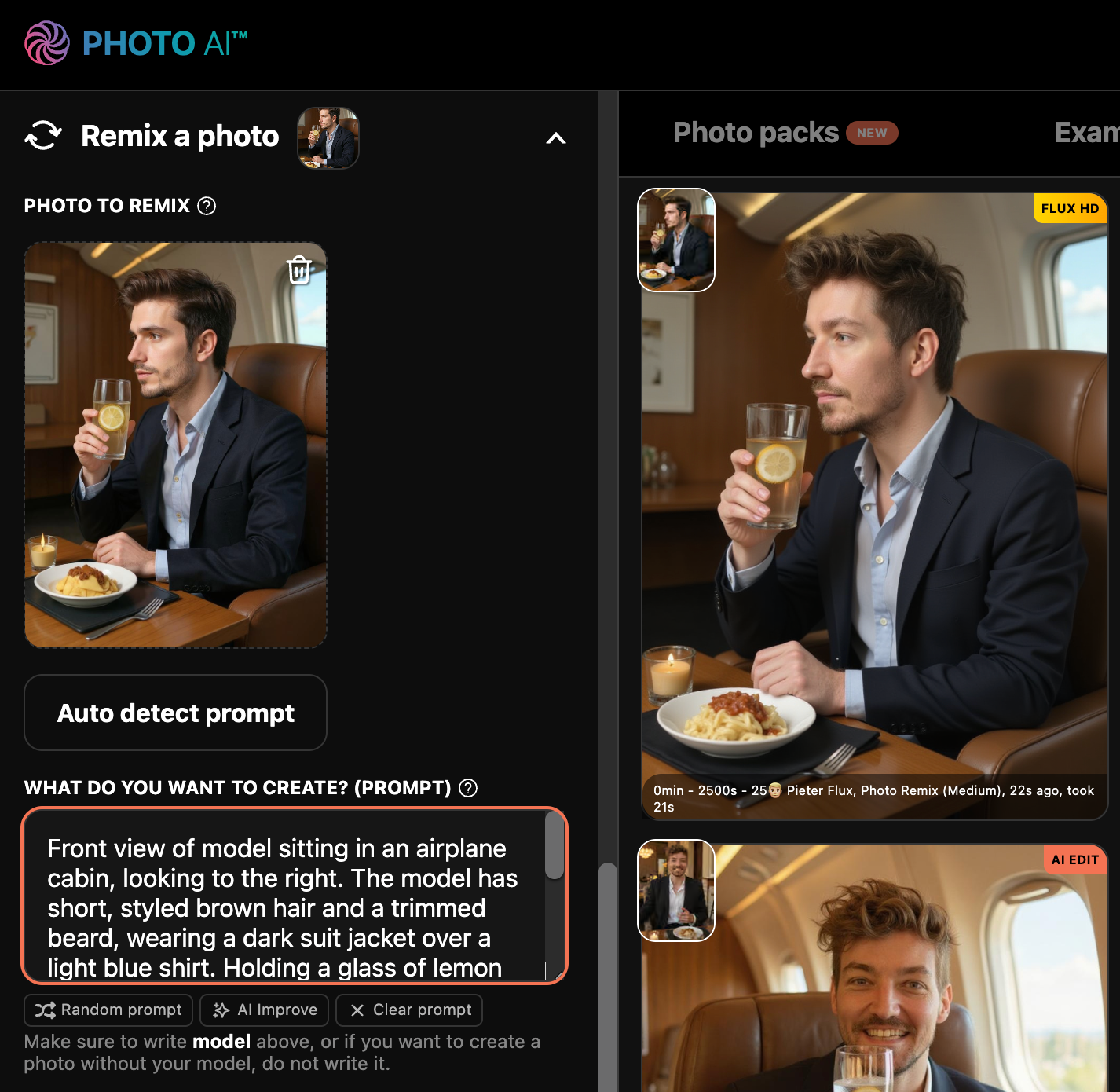
As I said the possibilities are pretty endless, try it!
Why it’s powerful
No Photoshop or design tools needed
Natural language — just describe what you want
Fast, fun, and flexible for creative edits
Possible to make camera perspective changes like “change to side view”
Complete style changes like “change to anime style”
Try [ Magic Edit ] now on Photo AI