Restore old photos with AI
restore-photos-ai
Written By @levelsio
Last updated 10 months ago
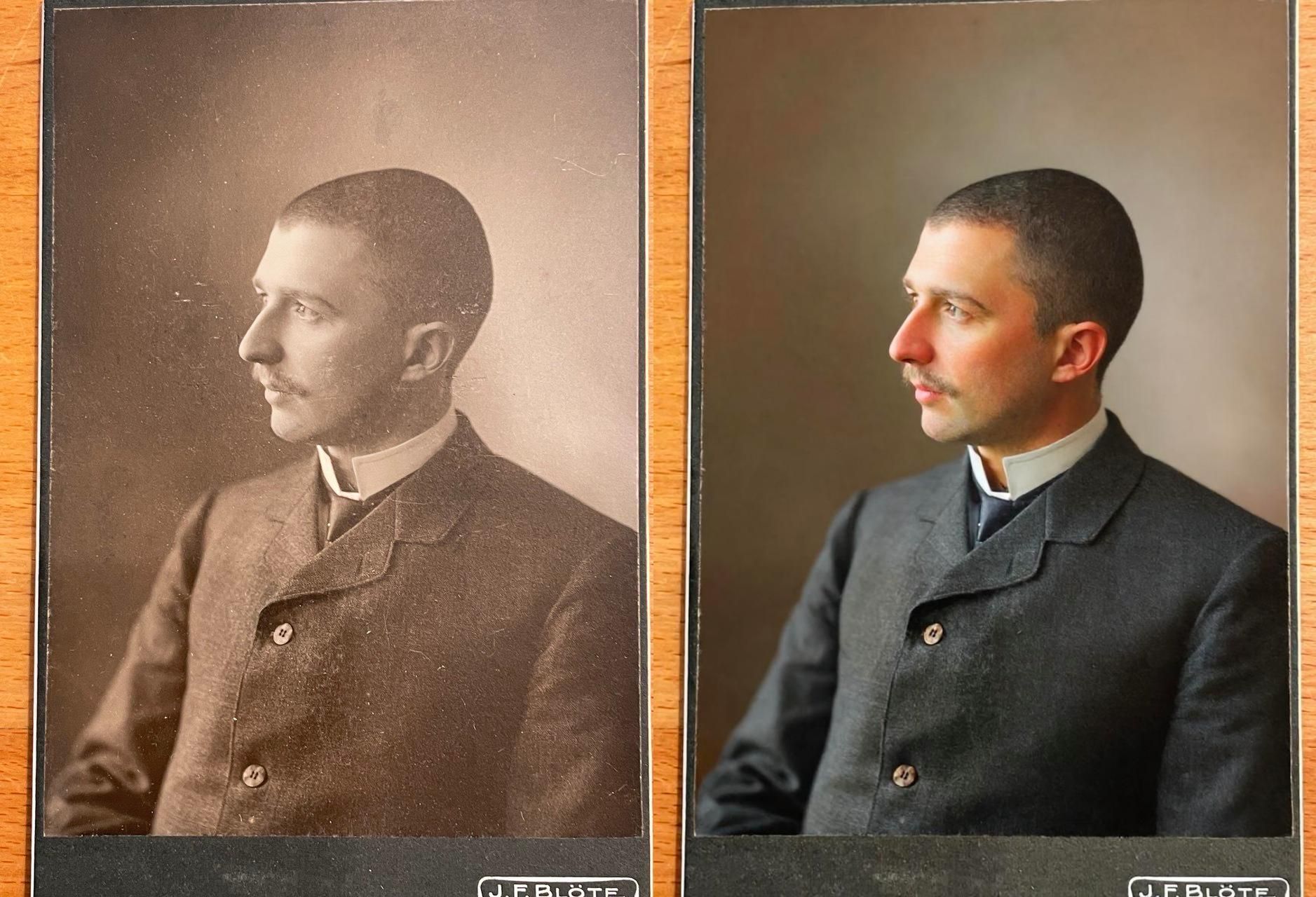
Want to bring your old, faded, or black-and-white photos back to life? With Photo AI, restoring them is as easy as a few clicks — no editing skills needed. Using the latest state-of-the-art AI models to restore them as accurate as possible.
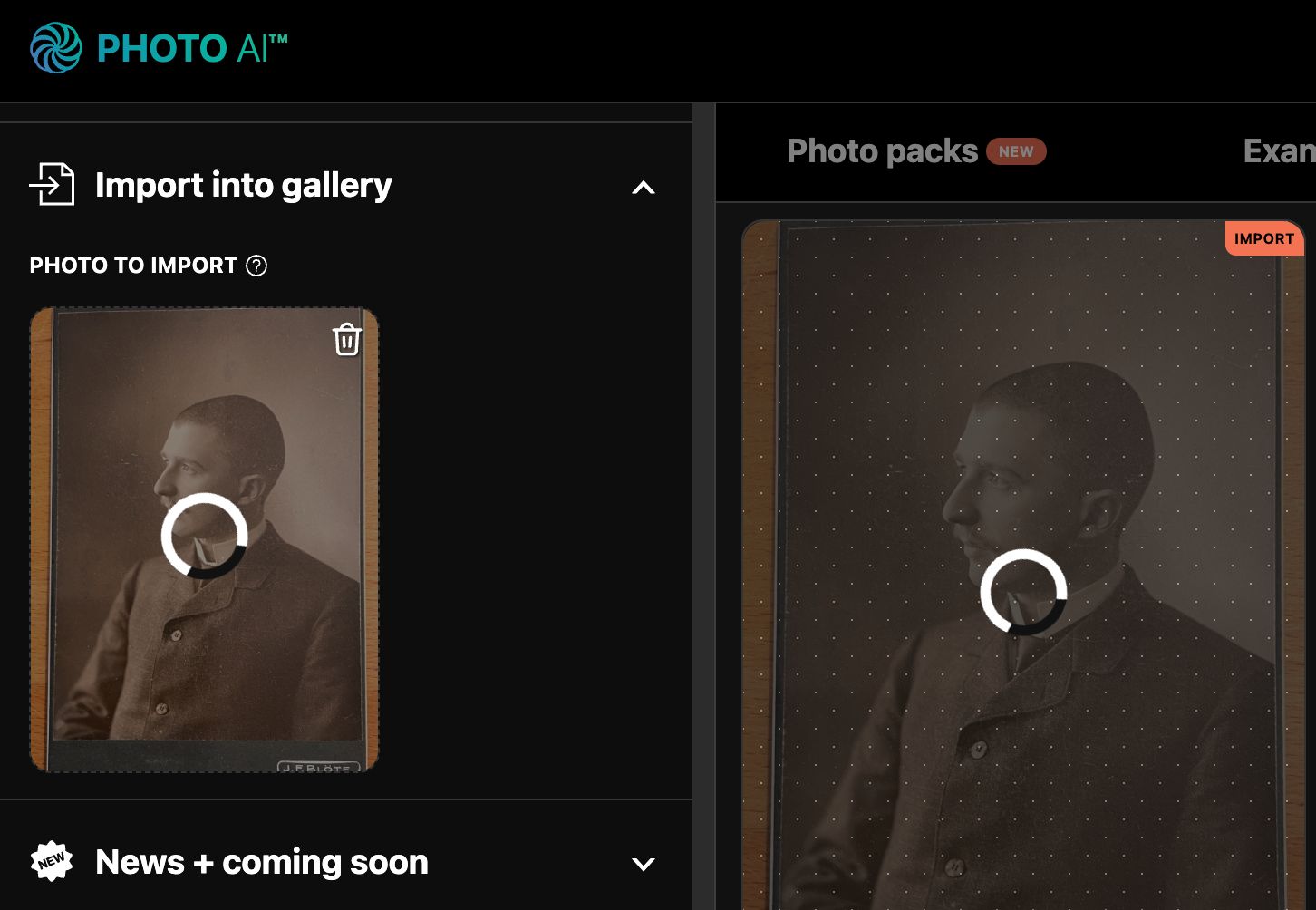
Step 1: Import your old photo
Go to the Gallery tab in Photo AI and click [ Import to Gallery ]. Upload your original old or damaged photo. This can be a scan of a printed photo or any image file.
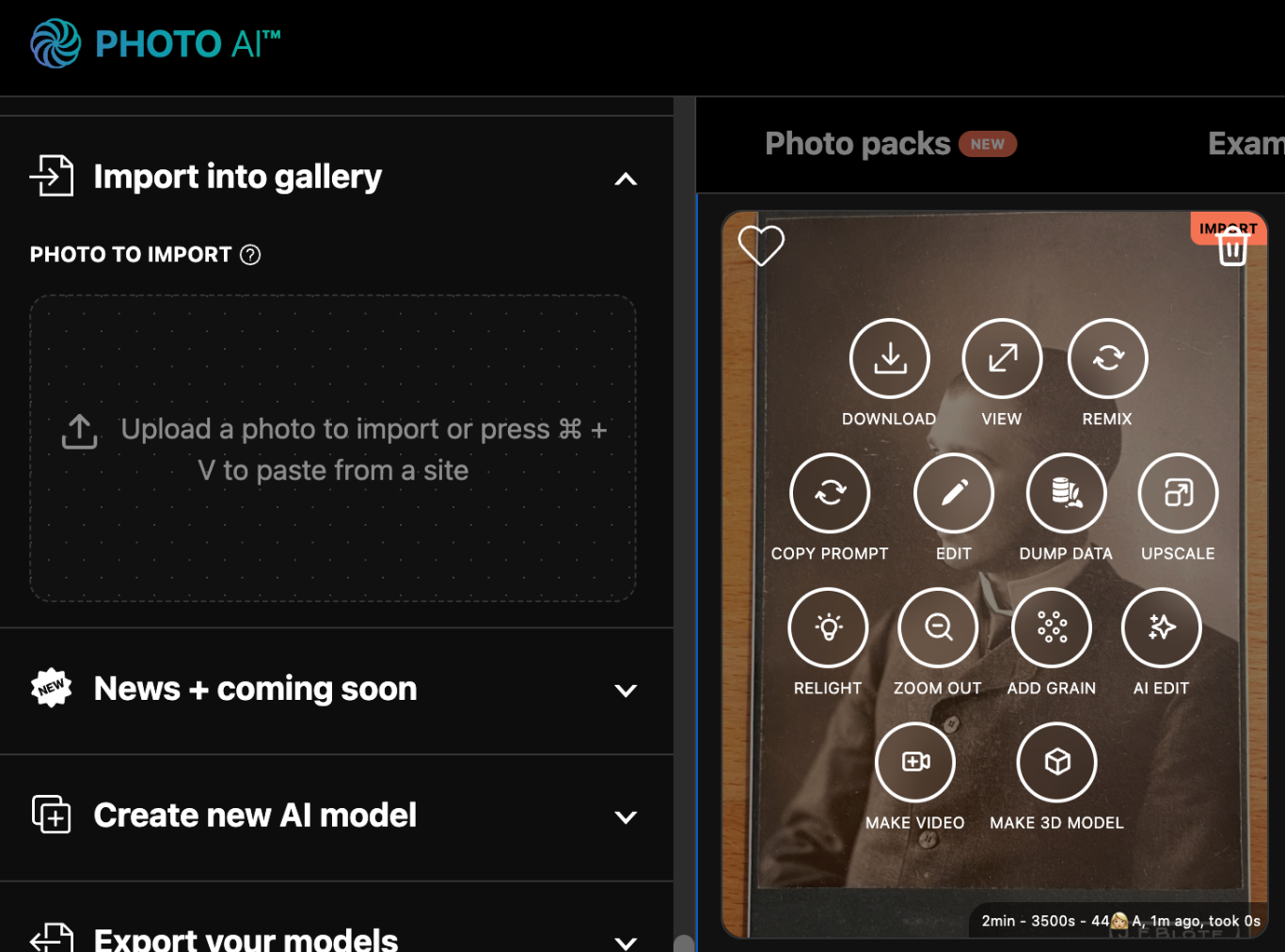
Step 2: Click [ Magic Edit ]
Once uploaded, hover over the photo and click the [ Magic Edit ] button. A popup will appear where you can enter an instruction.
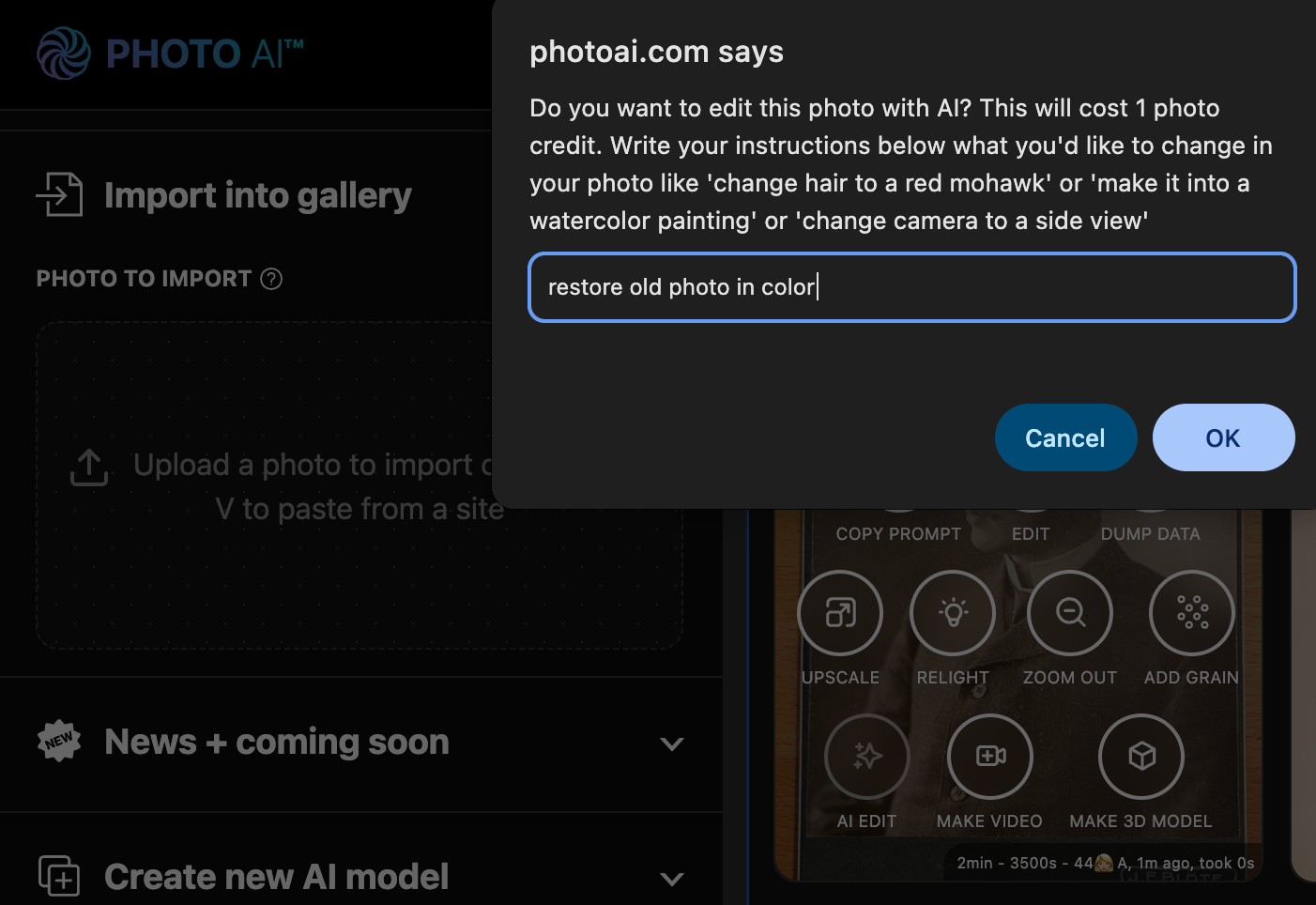
Step 3: Type your restoration prompt
In the input field, type “restore old photo in color” and press Continue.
Step 4: Enjoy your restored photo
Within about 10 seconds, your restored and colorized photo will appear. You can download it, share it, or keep editing with more prompts.
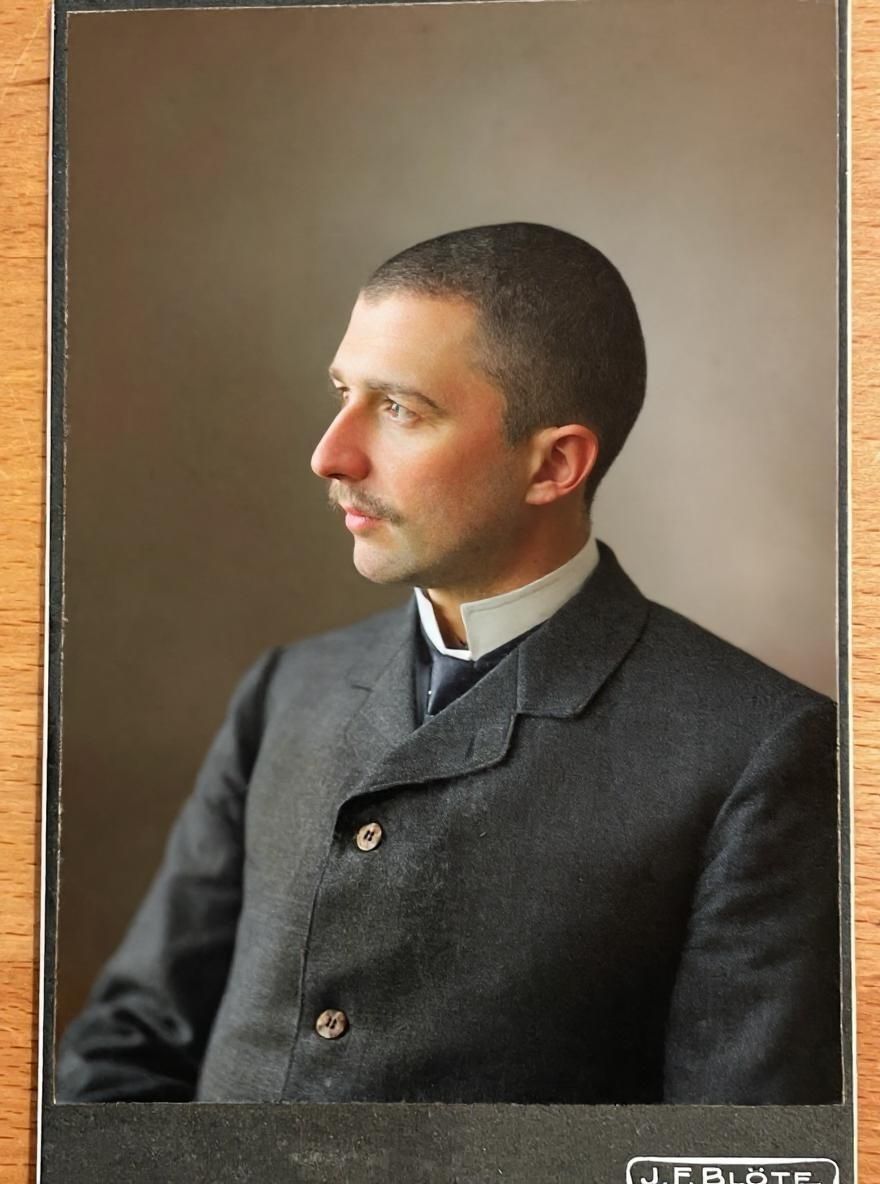
Step 5 (optional): Make more edits
In some cases the AI will make mistakes. Like the cobblestone street turns into grass. In those cases try doing it again with “restore old photo in color but keep the streets cobblestone” and it usually works.
Step 6: Turn your old photo into a video
Once you have a clear photo, you can turn it into a real-life video too. Just hover over the photo and tap [ Make video ] and write a prompt. Here I wrote “man turns and looks into camera”.
A few minutes later you’ll see your video. It’s as if you take a little peak into history and turning it alive!
Take aways
Photo AI makes high-quality photo restoration instant, automated, and accessible — no Photoshop needed.
Start restoring photos now on Photo AI!