Generate a 3D model from a photo with Photo AI
3d-model-generator-from-photo
Written By @levelsio
Last updated About 1 year ago
Want to turn your AI photos into interactive 3D models? With Photo AI, you can now generate 3D representations of your photos in just one click: perfect for creators, game devs, or digital product visualization.
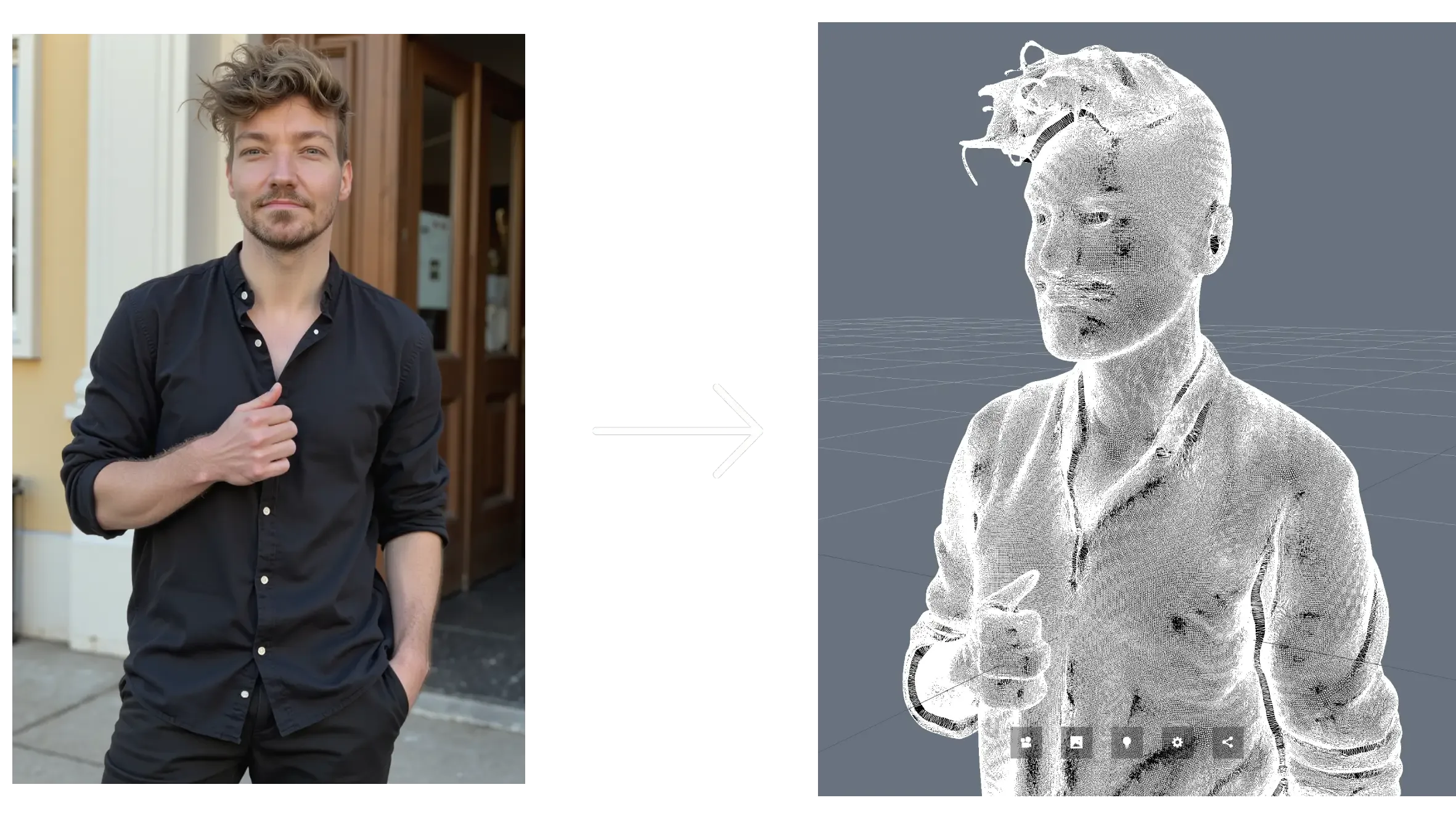
One note: 3d model generation isn’t great yet. We use the latest and best models on the market but the quality of especially people isn’t great yet. But we want to offer the feature anwyay.
Here’s how to do it:
Step 1: Create or select your AI model
Go to [ Create new AI model ] in the sidebar. Upload around 20 photos of your model: this could be yourself or someone you’ve hired.
In about a minute, Photo AI will train a photorealistic, personalized AI model that looks just like them.
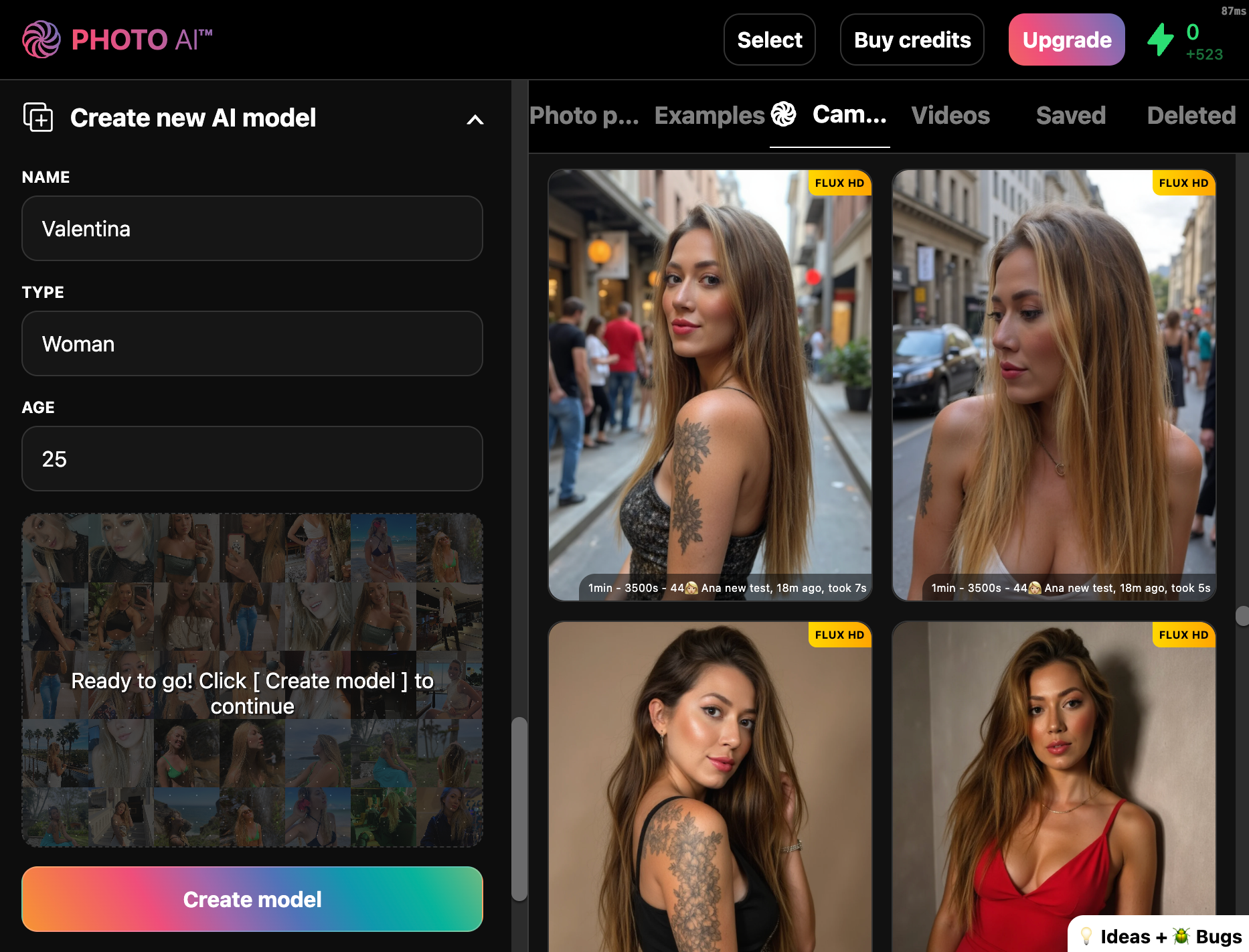
You can reuse this model to take AI photos and videos.
Step 2: Generate a photo
Write a prompt to create a high-quality image of your model. Write an angle and outfit that suits your use case.
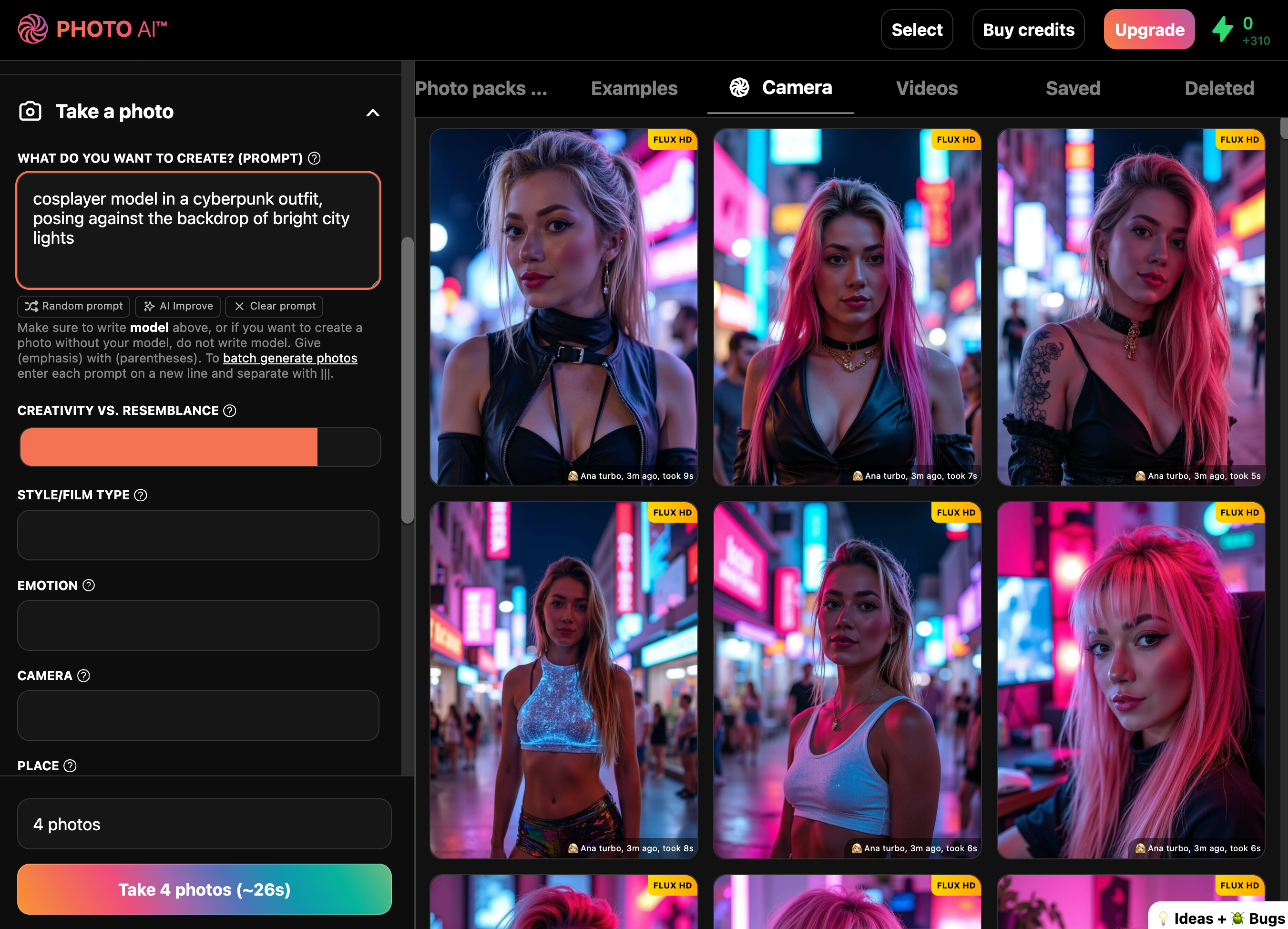
Or use any of the 100s of photo packs below (under Photo packs):
🔥 Popular Packs
Tinder – Eye-catching dating profile pics with great poses and vibrant colors to help you get more matches
Hinge – More natural, candid moments to reflect personality and spark real conversations
Luxury Lifestyle – You in Dubai penthouses, yachts, and private jets. Opulence everywhere
Old Money – Ivy League tennis clubs, polo outfits, and timeless rich-kid energy
Instagram – Influencer-ready content with lighting and vibe tailored to maximize likes
🧑💼 Professional Packs
LinkedIn Headshots – Studio-quality portraits with neutral backgrounds and sharp lighting
Startup Founder Headshots – Bold, modern photos for pitch decks, websites, or investor decks
CEO Headshots – Strong, formal looks for media, board meetings, and executive branding
🎭 Creative & Fun Packs
1950s Film Noir – Black and white drama shots with classic Hollywood lighting
Santorini Summer – You in Mediterranean paradise, bathed in Greek island light
Cosplay – Transform into your favorite characters with cinematic flair
Bali Influencer – Pool villas, tropical vibes, and that Canggu aesthetic
You can browse and run photo packs any time after your model is ready. Each shoot takes just seconds and generates a full set of high-resolution, lifelike images that look like you hired a pro photographer.
Step 3: Make the 3D model
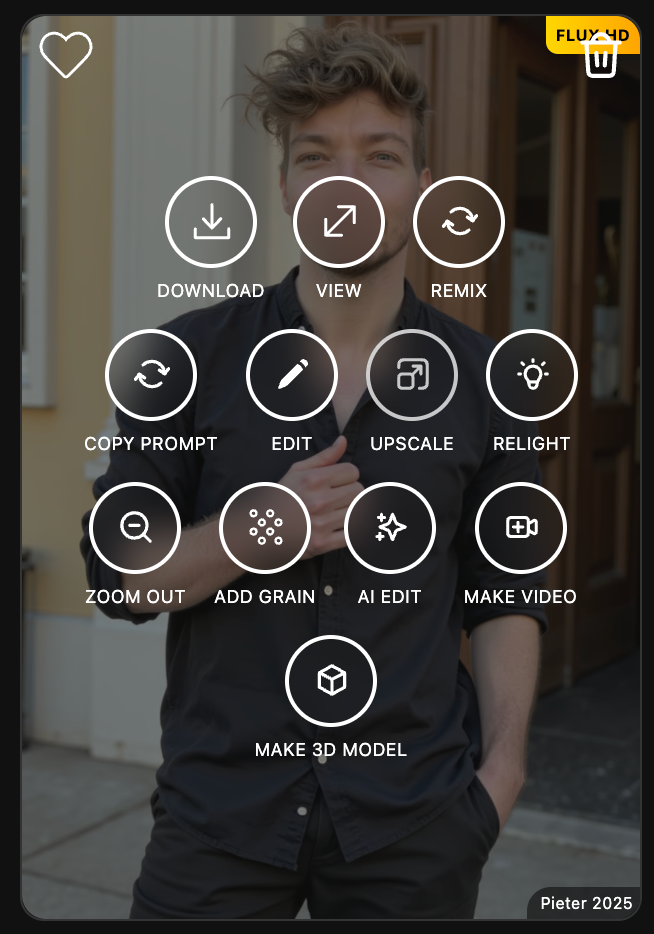
Hover over the photo you want to convert, then click [ Make 3D model ]. The AI will process the image and generate a rotatable 3D mesh that approximates the subject in the photo.
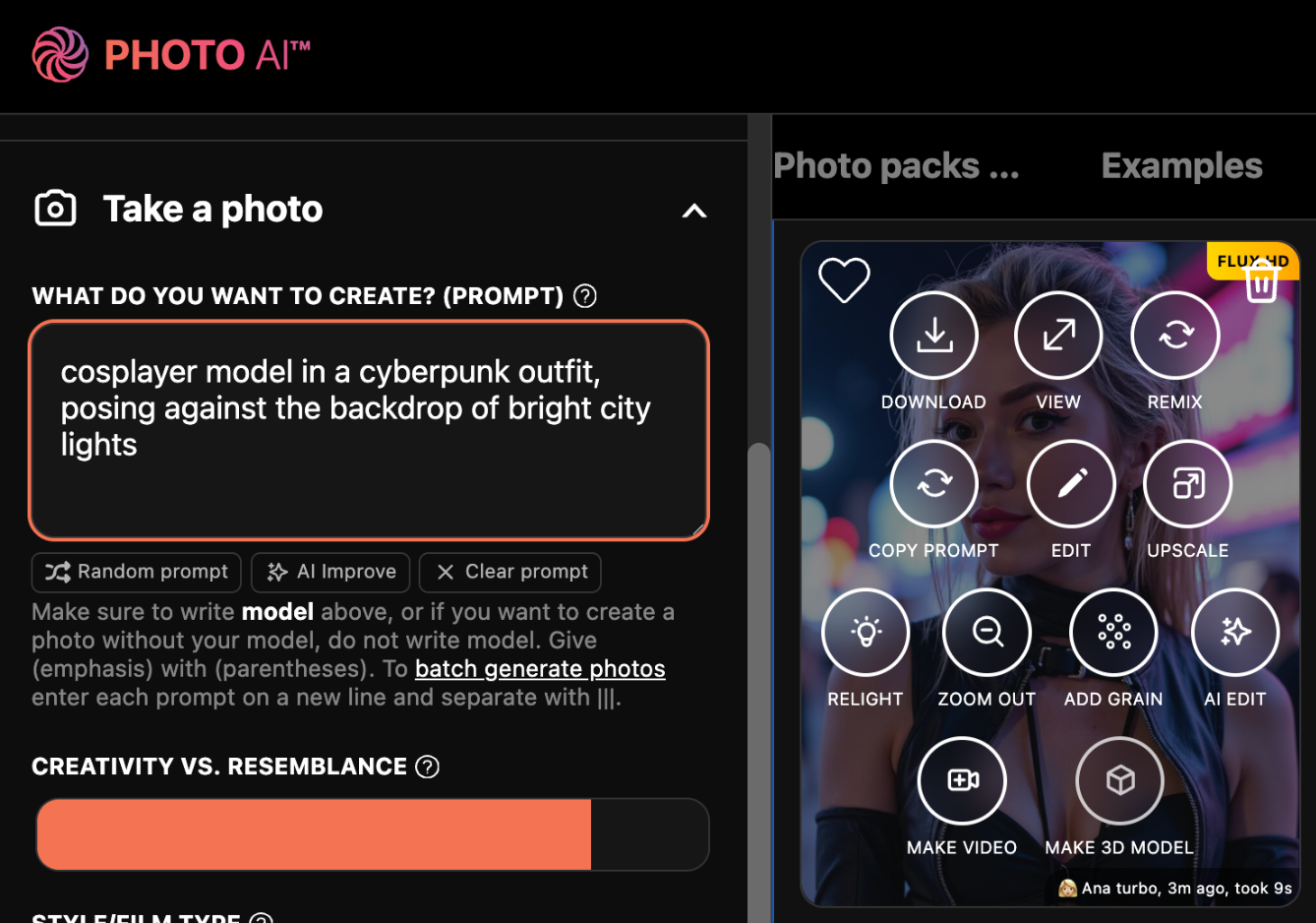
It will now take a few minutes to generate a 3d model, and then voila!
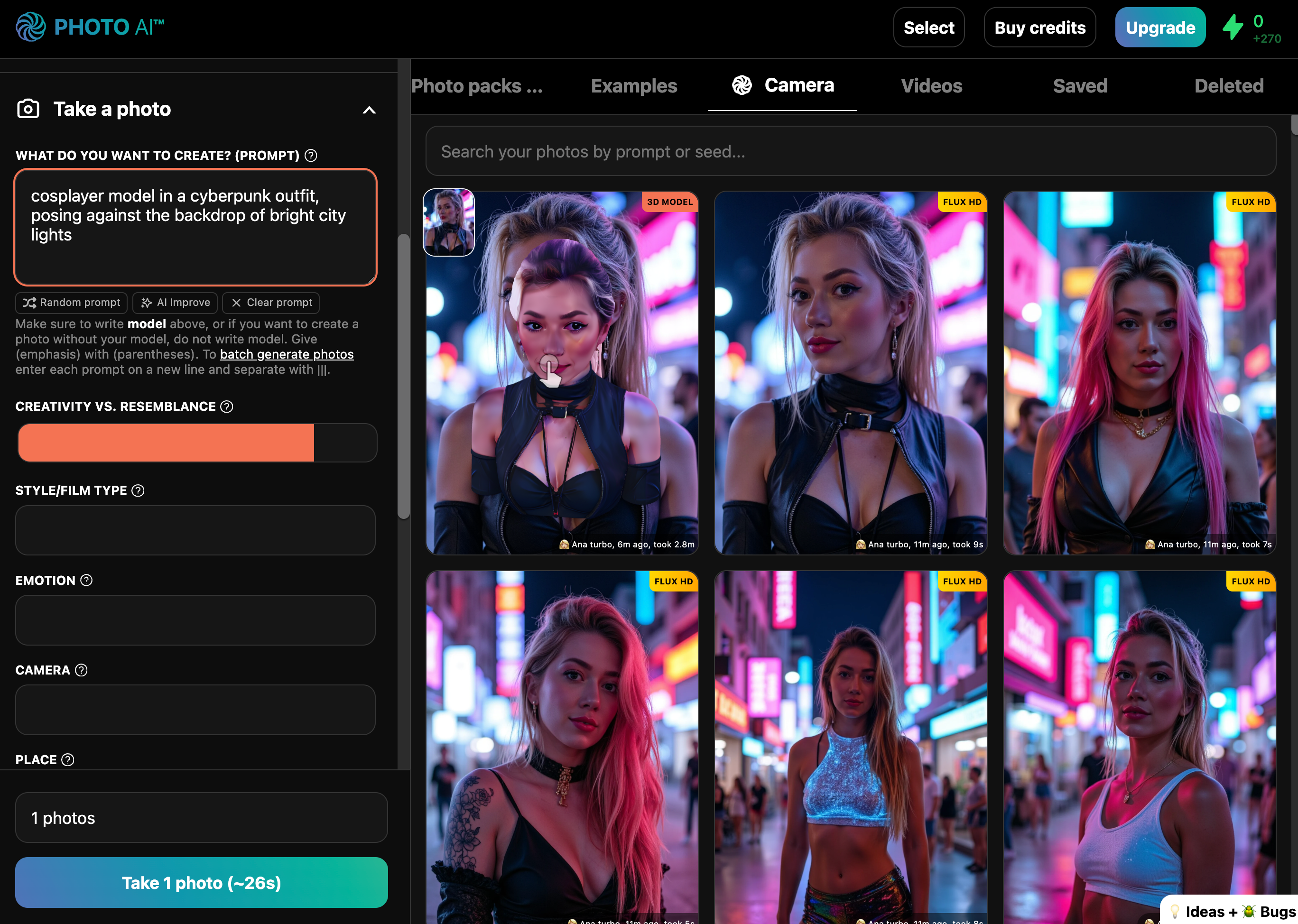
Hover over the pic and click [ View ] to open it in the image viewer, where you can drag around your 3d model:
Alternatively: Upload your own images to turn into a video
With Photo AI you can also upload your own images (like real photos you made) and turn them into a 3d model in a similar way.
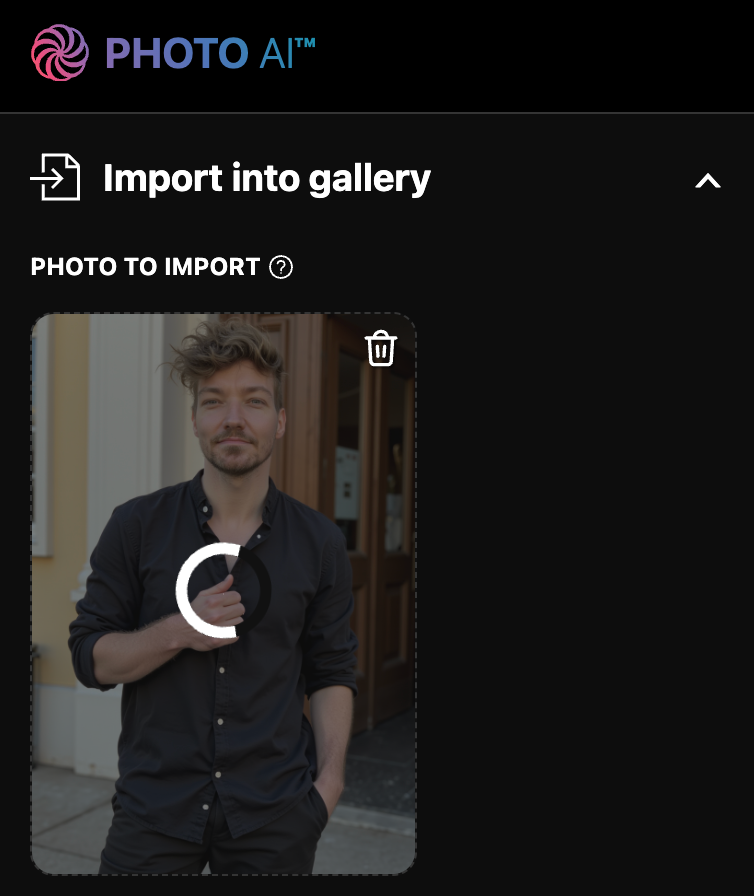
First go to [ Import into gallery ] and select your image.
Then once it shows up in the gallery, hover over the image and tap [ Make 3d model ].
Generating a 3d model takes a few minutes, after it’s done you’ll see this:
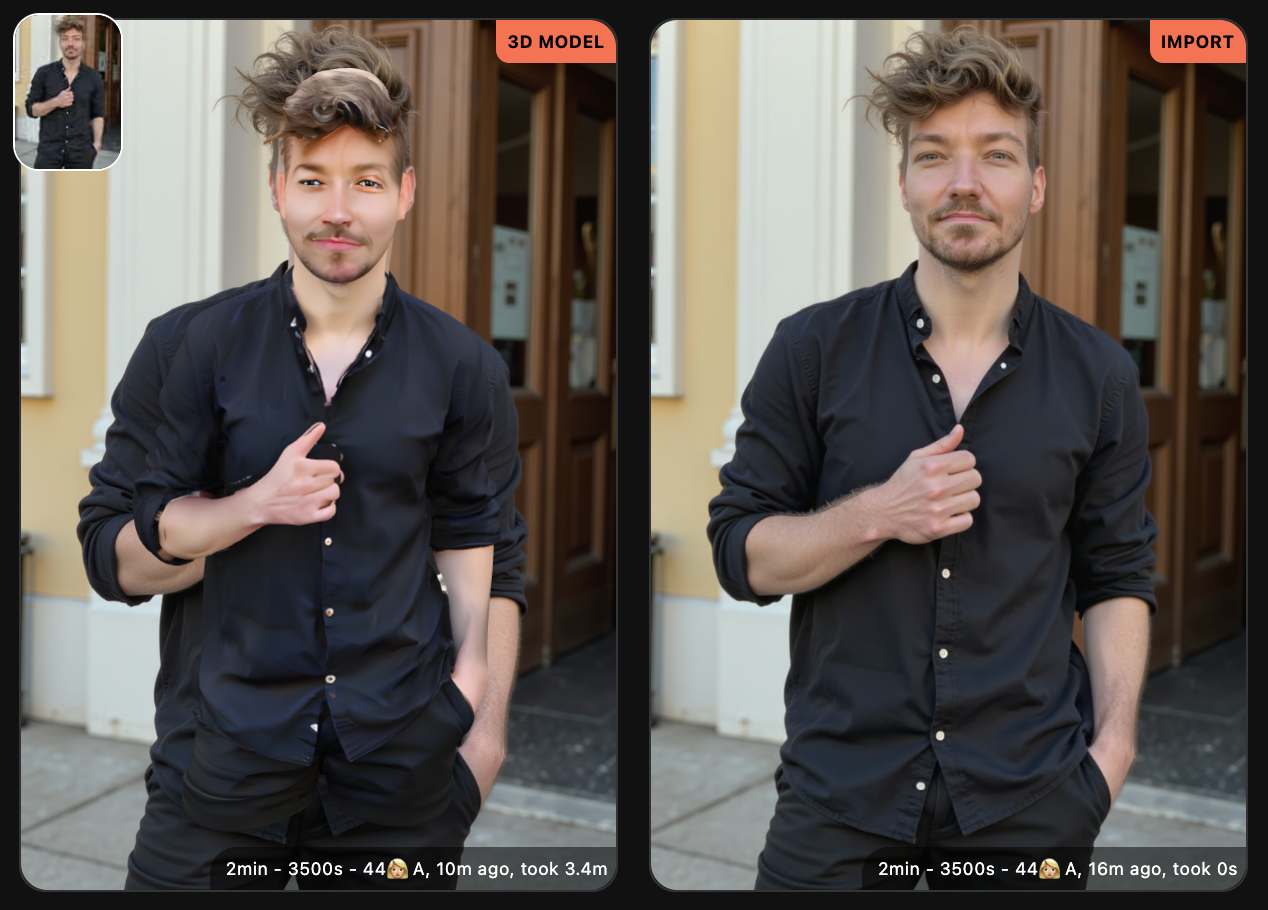
When opening your model you can move around it in the image viewer:
If you tap [ Download ] you can download a .GLB file of your model. Which most 3d software accepts.
Open your 3d model in AR
Bonus: If you’re on an iPhone (and some Android phones), and you open the 3d model in the image viewer, there’s also an AR option (the 3d cube button in the bottom right) which lets you put your 3d model in the room with you!
Use cases:
✅ Virtual 3d fashion try-ons
✅ Gaming avatars or NPCs
✅ Product and character previews
✅ Social content with depth and movement
You don’t need 3D software, rigging knowledge, or photogrammetry. Just generate, click, and get your 3D model.
Try it now with [ Make 3d model ] inside Photo AI.